
[hide][font=-apple-system, BlinkMacSystemFont,]First open up Sentry MBA(if you have AIO version, do a full reset first)[/font]
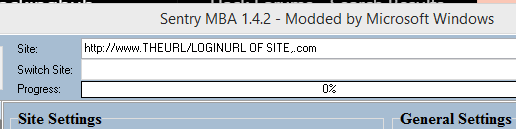
[font=-apple-system, BlinkMacSystemFont,]Take the login url and paste it under Sitie: in sentry mba like this:[/font]
[font=-apple-system, BlinkMacSystemFont,]Then move over to "HTTP Headers" under General:[/font]

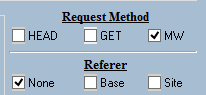
[font=-apple-system, BlinkMacSystemFont,]Set the Request Method to "MW"(Magic Wand):[/font]
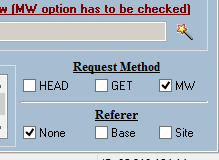
[font=-apple-system, BlinkMacSystemFont,]Now press the orangeish Magic Wand:[/font]
[font=-apple-system, BlinkMacSystemFont,]Press "Analyze Login Page":[/font]
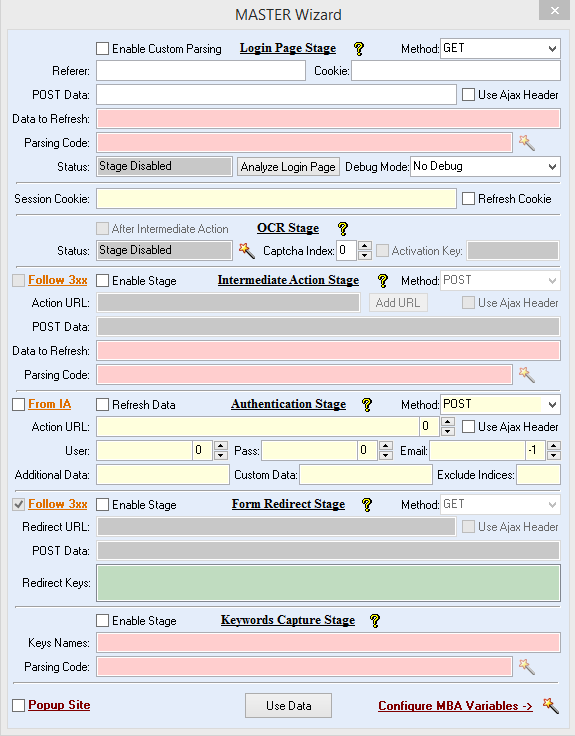
[font=-apple-system, BlinkMacSystemFont,]If the config is very easy, sentry MBA will figure out the rest(I personally often use "Refresh Cookie")[/font]


[font=-apple-system, BlinkMacSystemFont,]Now press the "Use Data":[/font]

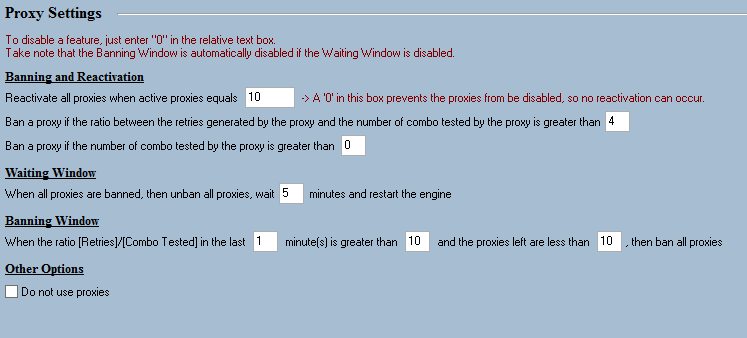
[font=-apple-system, BlinkMacSystemFont,]Go to "Proxy Settings" and set proxies on or off:[/font]
[font=-apple-system, BlinkMacSystemFont,]BOTTOM-OTHEROPTIONS[/font]
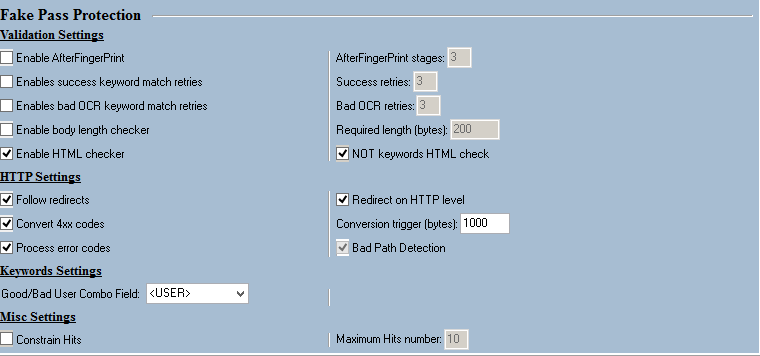
[font=-apple-system, BlinkMacSystemFont,]Move over to "Fake Settings" right below "Proxy Settings":[/font]
[font=-apple-system, BlinkMacSystemFont,]These options is the most common in my world[/font]
[font=-apple-system, BlinkMacSystemFont,]head over to "Keywords"[/font]
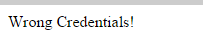
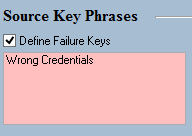
[font=-apple-system, BlinkMacSystemFont,]Our first keyword is a source failure keyword(Sentry reads the source code and looks for incorrect login keyword)[/font]
[font=-apple-system, BlinkMacSystemFont,]In this case that could be(If User ass is wrong):[/font]
[font=-apple-system, BlinkMacSystemFont,]So our failure keyword is:[/font]
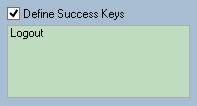
[font=-apple-system, BlinkMacSystemFont,]Source Success keyword is something on the source code of the page when your logged in(Often Logout/Signout or similar)[/font]
[font=-apple-system, BlinkMacSystemFont,]Now when everything is done go to "General" and "Save settings to snapshot"[/font]

[font=-apple-system, BlinkMacSystemFont,]This will save the snapshot(Config) in your snapshot folder.[/font]
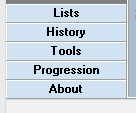
[font=-apple-system, BlinkMacSystemFont,]To test if the config is working go to "Tools"[/font]
[font=-apple-system, BlinkMacSystemFont,]and go to:[/font]
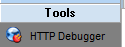
[font=-apple-system, BlinkMacSystemFont,]Add this:[/font]

[font=-apple-system, BlinkMacSystemFont,]Input username and password:[/font]

[font=-apple-system, BlinkMacSystemFont,]Click the lightning and afwards press the "Debug" tap:[/font]

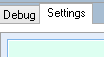
[font=-apple-system, BlinkMacSystemFont,]If it returns Source failure(If your usernameass is wrong) or Source Success keys(If your username/ass is correct) you have configured it correctly[/font]
[font=-apple-system, BlinkMacSystemFont,]Please excuse me of any grammar mistakes and such or if you have suggestions/opinions to improvements let me know.[/font]
[font=-apple-system, BlinkMacSystemFont,][/hide][/font]
[font=-apple-system, BlinkMacSystemFont,]this is a very simple config tutorial and nothing that advanced.[/hide][/font]
[font=-apple-system, BlinkMacSystemFont,]Take the login url and paste it under Sitie: in sentry mba like this:[/font]
[font=-apple-system, BlinkMacSystemFont,]Then move over to "HTTP Headers" under General:[/font]
[font=-apple-system, BlinkMacSystemFont,]Set the Request Method to "MW"(Magic Wand):[/font]
[font=-apple-system, BlinkMacSystemFont,]Now press the orangeish Magic Wand:[/font]
[font=-apple-system, BlinkMacSystemFont,]Press "Analyze Login Page":[/font]
[font=-apple-system, BlinkMacSystemFont,]If the config is very easy, sentry MBA will figure out the rest(I personally often use "Refresh Cookie")[/font]
[font=-apple-system, BlinkMacSystemFont,]Now press the "Use Data":[/font]
[font=-apple-system, BlinkMacSystemFont,]Go to "Proxy Settings" and set proxies on or off:[/font]
[font=-apple-system, BlinkMacSystemFont,]BOTTOM-OTHEROPTIONS[/font]
[font=-apple-system, BlinkMacSystemFont,]Move over to "Fake Settings" right below "Proxy Settings":[/font]
[font=-apple-system, BlinkMacSystemFont,]These options is the most common in my world[/font]
[font=-apple-system, BlinkMacSystemFont,]head over to "Keywords"[/font]
[font=-apple-system, BlinkMacSystemFont,]Our first keyword is a source failure keyword(Sentry reads the source code and looks for incorrect login keyword)[/font]
[font=-apple-system, BlinkMacSystemFont,]In this case that could be(If User
ass is wrong):[/font]
[font=-apple-system, BlinkMacSystemFont,]So our failure keyword is:[/font]
[font=-apple-system, BlinkMacSystemFont,]Source Success keyword is something on the source code of the page when your logged in(Often Logout/Signout or similar)[/font]
[font=-apple-system, BlinkMacSystemFont,]Now when everything is done go to "General" and "Save settings to snapshot"[/font]
[font=-apple-system, BlinkMacSystemFont,]This will save the snapshot(Config) in your snapshot folder.[/font]
[font=-apple-system, BlinkMacSystemFont,]To test if the config is working go to "Tools"[/font]
[font=-apple-system, BlinkMacSystemFont,]and go to:[/font]
[font=-apple-system, BlinkMacSystemFont,]Add this:[/font]
[font=-apple-system, BlinkMacSystemFont,]Input username and password:[/font]
[font=-apple-system, BlinkMacSystemFont,]Click the lightning and afwards press the "Debug" tap:[/font]
[font=-apple-system, BlinkMacSystemFont,]If it returns Source failure(If your username
ass is wrong) or Source Success keys(If your username/ass is correct) you have configured it correctly[/font][font=-apple-system, BlinkMacSystemFont,]Please excuse me of any grammar mistakes and such or if you have suggestions/opinions to improvements let me know.[/font]
[font=-apple-system, BlinkMacSystemFont,][/hide][/font]
[font=-apple-system, BlinkMacSystemFont,]this is a very simple config tutorial and nothing that advanced.[/hide][/font]